GPT Image 2.6 API:GIF 表情包、2K/4K 与价格
使用 GPT Image 2.6 Flare 与 Sunburst 生成图片和 GIF 表情包。探索 8 个 meme 实例、可复制提示词、Python/cURL 请求、2K/4K 输出与 token 价格。
GPT Image 2.6 支持文本生成图片和循环 GIF。Flare 适合快速迭代,Sunburst 适合细节要求更高的创作。这里提供可复用的 GIF 表情包提示词、Python 和 cURL 请求,以及真实输出的尺寸、耗时和 token 用量。
选择 Flare 还是 Sunburst
| 模型 ID | 适合的工作 | 本页的实际示例 |
|---|---|---|
openai/gpt-image-2.6-flare | 日常配图、快速迭代、反应表情包 | 狐狸庆祝、程序员与打工人 GIF、2K 产品图 |
openai/gpt-image-2.6-sunburst | 细节丰富的画面、精细构图 | 咖啡机器人、猫咪 GIF、中英文两格梗图、4K 风景 |
两款模型使用相同的 token 单价。同一质量设置不保证相同的延迟或每张费用。下面的时间只是本次示例记录,不是速度承诺。
8 个 meme 示例:6 个 GIF 与 2 张静态梗图
从发布成功、修复 bug 到周五下班,下面的成品均由对应的 GPT Image 2.6 模型直接生成。GIF 使用 512x512、quality: low、complexity: low、9 帧和每帧 200 ms;静态梗图使用 1024x1024 PNG、quality: low、complexity: low。每次请求 n=1。GIF 加载后自动循环播放,展开提示词即可复制复用。
复用时,将提示词填入下方请求的 prompt,并选择示例标注的模型。生成静态梗图时改用 output_format: png 和 size: 1024x1024,移除 frame_count 与 frame_duration_ms。
Flare:发布成功的狐狸

实际输出:512×512 GIF;请求 9 帧、每帧 200 ms,目标循环时长 1.8 秒;生成约 9.7 秒。文件包含 9 个不同的帧,循环播放时长为 1.8 秒。
可直接复用的提示词:
展开并复制完整提示词
Create a looping reaction GIF meme. A cheerful small orange fox at a laptop
raises both paws in a tiny celebration, blinks, then returns to its starting
pose. Clean flat illustration, cream background, fixed camera. The bold dark
caption SHIP IT stays completely still and readable throughout. Seamless
loop, consistent character.
Sunburst:还在加载的咖啡机器人

实际输出:512×512 GIF;请求 9 帧、每帧 200 ms;生成约 17.1 秒。
展开并复制完整提示词
Create a looping reaction GIF meme. A sleepy round purple robot holding a
coffee mug slowly opens its eyes, lifts the mug a little, and returns to the
starting pose. Minimal flat illustration on a pale lavender background,
fixed camera. The caption LOADING stays completely still and readable
throughout. Smooth seamless loop, consistent character.
程序员日常:刚修好,又来一个 bug

模型:openai/gpt-image-2.6-flare。 适合代码评审、修 bug 进度和开发群聊天。笑点是修复结束后的短暂得意,又被一个新问题打断。
展开并复制完整提示词
Create a square looping reaction GIF meme. An original small round penguin wearing
round glasses sits at a laptop, looking pleased. One tiny lime-green cartoon bug
pops up beside the laptop; the penguin slowly side-eyes it, then the bug ducks away
and the penguin returns to the initial pose. Clean bold 2D comic illustration, navy
outlines, pale blue background, centered composition, fixed camera. Across the top,
large dark lettering reads exactly ONE MORE BUG and remains completely still and
readable in every frame. One character, one small bug, subtle motion, seamless loop.
No other text, logos or watermarks.
打工人反应:周五模式启动

模型:openai/gpt-image-2.6-flare。 适合周五下班、任务完成和团队庆祝。动作限制在戴墨镜与轻点头,方便形成短循环。
展开并复制完整提示词
Create a square looping reaction GIF meme. An original chubby orange office cat in a
tiny loose blue necktie sits at a desk. The cat lowers black sunglasses over its
eyes, makes a tiny satisfied head nod, then lifts the glasses and returns to its
initial pose. Bold sticker-like 2D illustration with thick clean outlines, warm
peach background, centered composition, fixed camera. The large dark caption FRIDAY
MODE is fixed across the top, exactly those words, crisp and motionless in every
frame. Only the glasses, one paw and head move. Seamless loop. No other text, logos
or watermarks.
猫咪怀疑脸:你说得都对
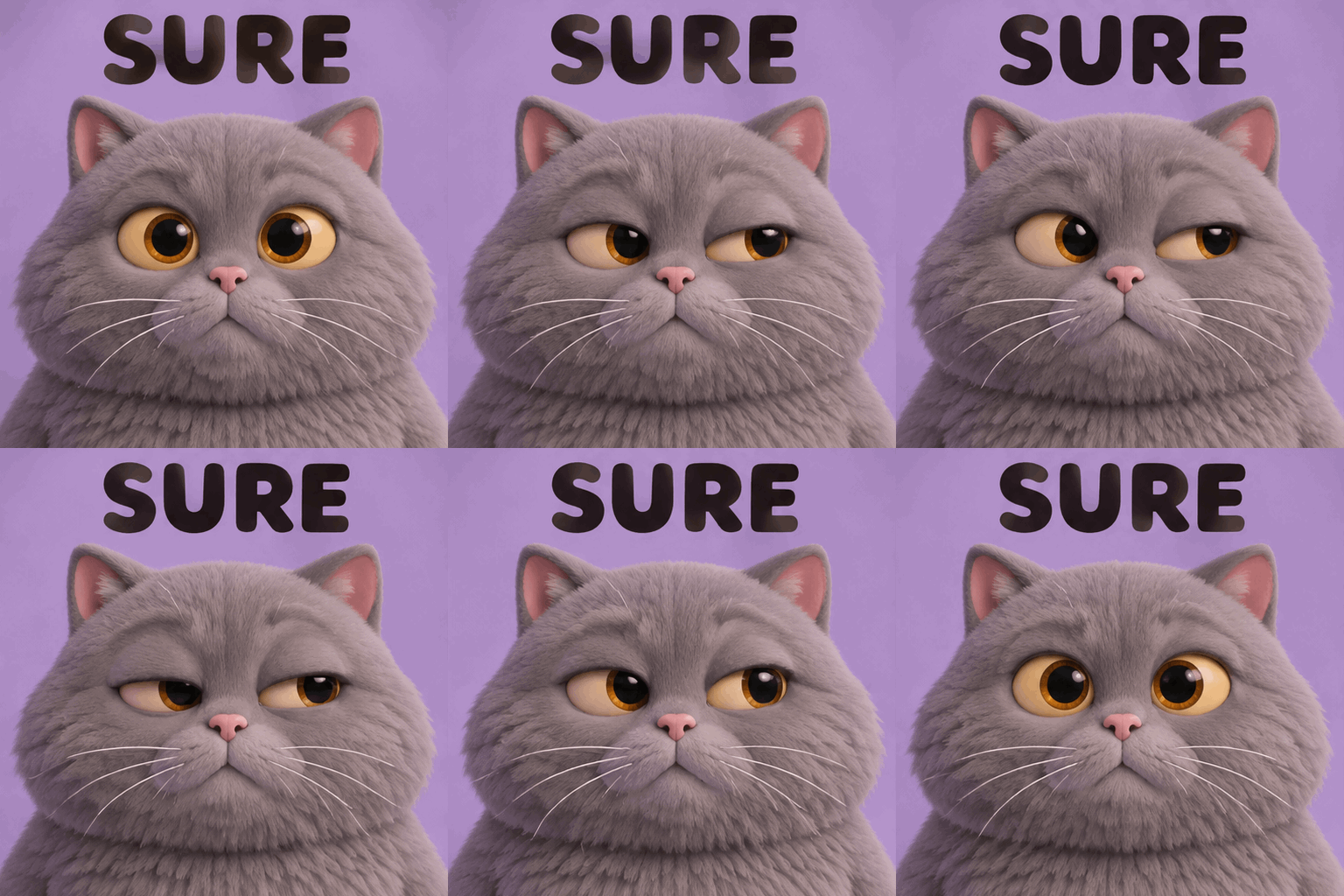
模型:openai/gpt-image-2.6-sunburst。 适合回复“马上就好”“这次肯定没问题”等日常对话,用微表情表达怀疑。
展开并复制完整提示词
Create a square looping reaction GIF meme. Close-up portrait of an original fluffy
round gray cat with expressive amber eyes. It looks straight ahead, slowly narrows
one eye and glances sideways with gentle skepticism, then blinks and returns to the
initial expression. Tactile soft clay-like 3D illustration, lilac studio background,
soft even light, fixed camera, no camera movement. Big dark lettering across the top
reads exactly SURE and stays perfectly still and legible in every frame. Tiny
controlled facial animation, consistent face, seamless loop. No other text, logos or
watermarks.
设计师日常:就改一个小地方
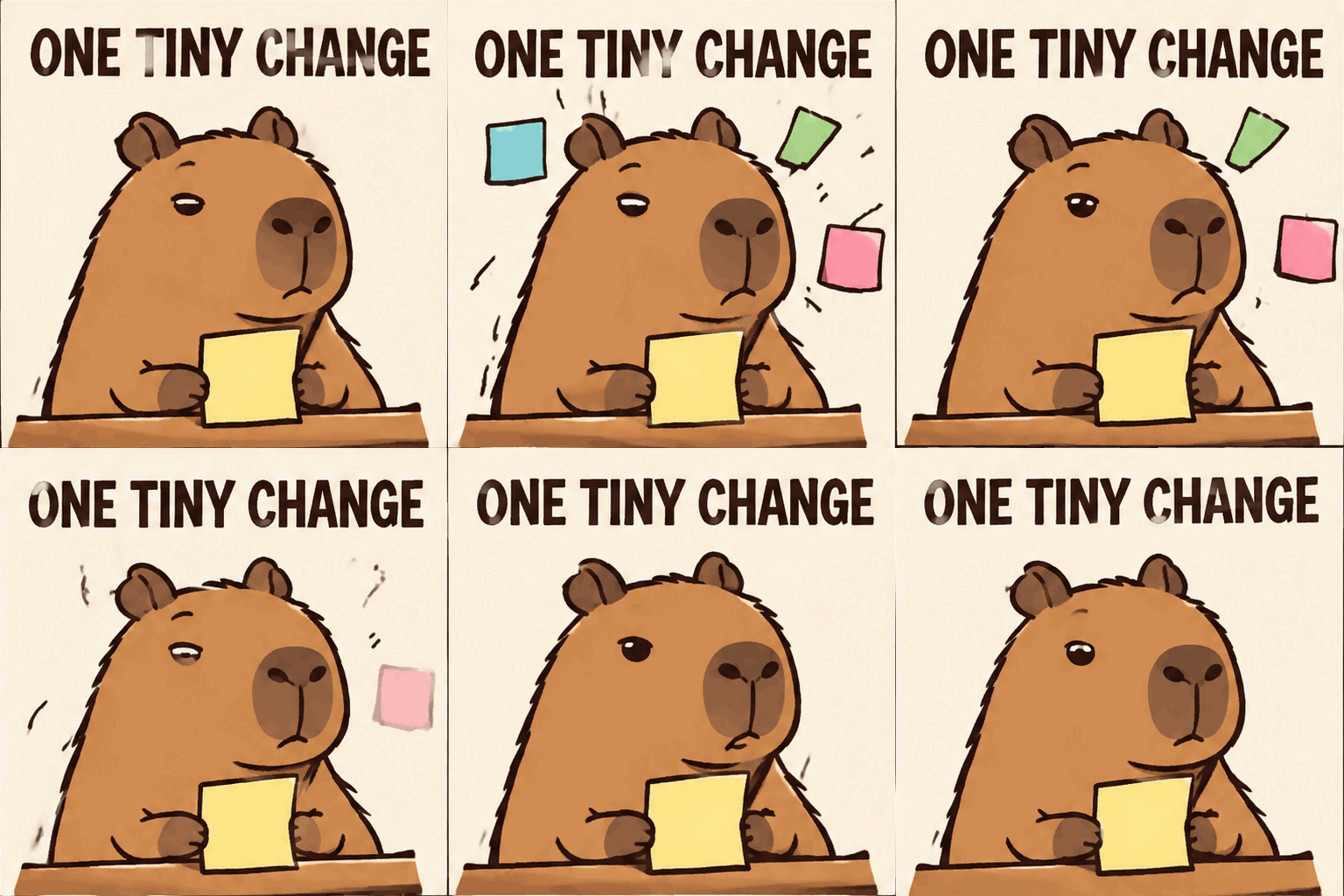
模型:openai/gpt-image-2.6-flare。 适合需求变更、设计返工和客户反馈。把“小修改”的反差做成单场景动画。
展开并复制完整提示词
Create a square looping reaction GIF meme. An original calm capybara illustrator
sits at a small desk holding one blank yellow sticky note. Three more blank pastel
sticky notes pop up around its head; it blinks with a weary deadpan expression; the
extra notes vanish and it returns to the starting pose. Clean editorial cartoon,
thick brown outlines, cream background, centered composition, fixed camera. The
caption ONE TINY CHANGE appears in large dark text across the top and stays
perfectly fixed and readable throughout. All sticky notes are blank. Gentle motion,
seamless loop. No other text, logos or watermarks.
静态两格梗图:说好的五分钟修复
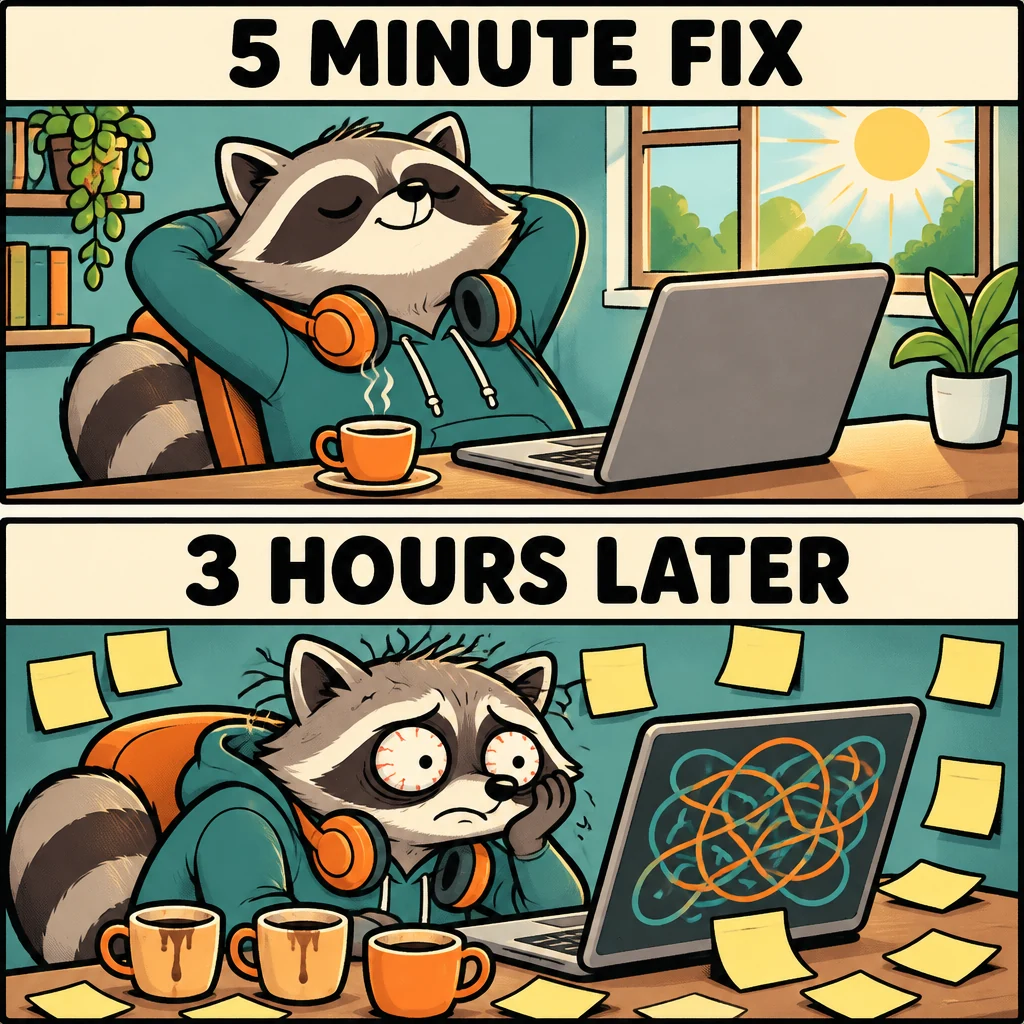
模型:openai/gpt-image-2.6-sunburst。 适合技术文章、社交媒体和项目复盘。两格使用同一个角色,通过画面反差讲清笑点。
展开并复制完整提示词
Create a square 1024x1024 static meme illustration with two equally sized horizontal
panels stacked vertically, a clean white gutter between them. An original round
raccoon software developer appears in both panels with consistent design. Top panel:
relaxed raccoon at a tidy laptop with a small coffee, bright morning light; large
caption at the top reads exactly 5 MINUTE FIX. Bottom panel: same raccoon much later
with tired wide eyes, surrounded by blank sticky notes and three coffee cups,
abstract tangled lines on the screen with no readable code; large caption at the top
reads exactly 3 HOURS LATER. Funny expressive hand-drawn comic, bold outlines,
restrained teal and orange palette, highly legible black typography on clear pale
header bands. Keep both captions spelled exactly. No other text, brands or
watermarks.
中文梗图:需求只有一句,改稿已有一堆
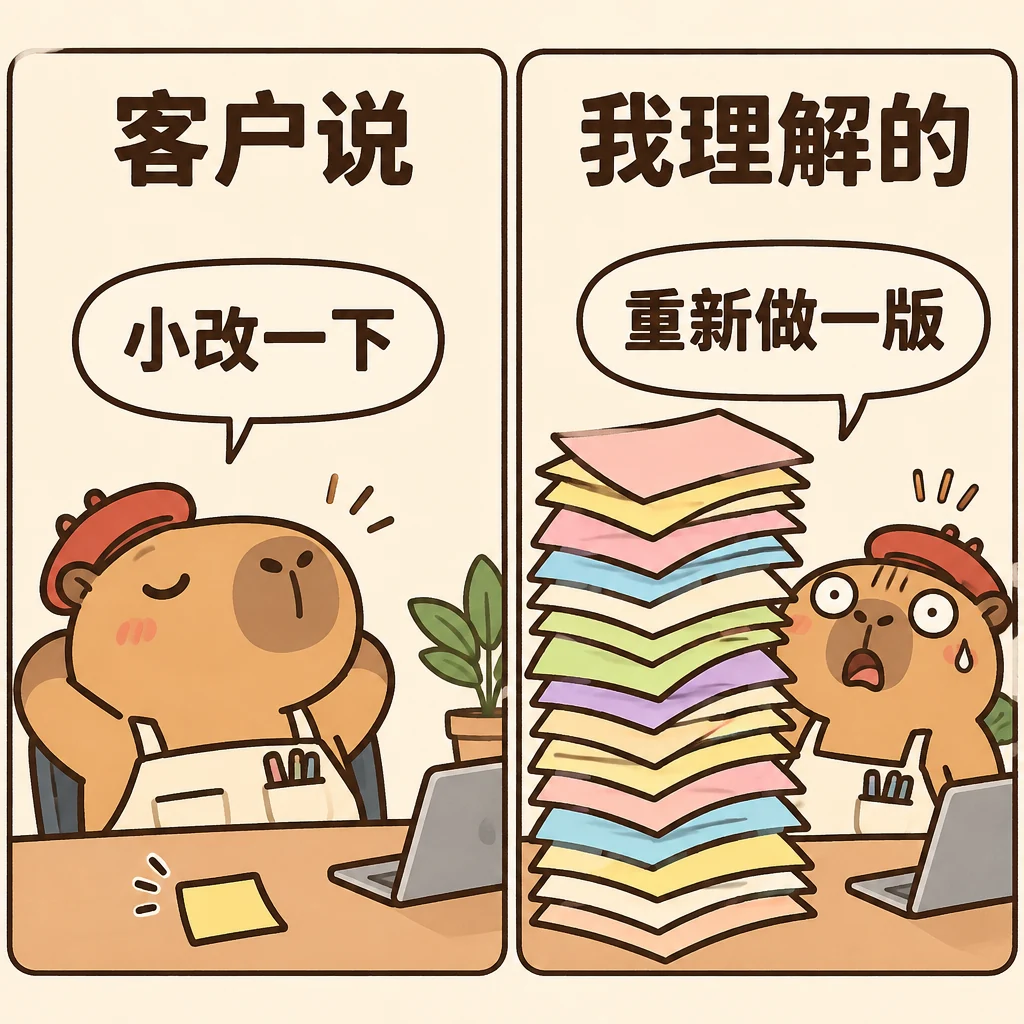
模型:openai/gpt-image-2.6-sunburst。 展示中文文字与画面一起生成。适合设计师社群和客户沟通,发布前仍需逐字检查中文。
展开并复制完整提示词
Create a square 1024x1024 static Chinese meme, two equally sized panels side by side
with a clean vertical gutter. Original cute capybara designer character, consistent
in both panels, warm editorial comic with dark brown outlines and ivory paper
background. Left panel: a very small neat blank sticky note and a relaxed capybara;
heading at the top in large bold Chinese reads exactly 客户说; speech bubble reads
exactly 小改一下. Right panel: the same capybara with a stunned expression behind a
comically tall stack of colorful blank design sheets; heading at the top in large
bold Chinese reads exactly 我理解的; speech bubble reads exactly 重新做一版. Render all four
Chinese phrases accurately, clear and readable, horizontal text, generous spacing.
No other text, logos or watermarks.
GIF 提示词最好同时写清楚主体、动作顺序、固定背景和回到起始姿势的方式。文字应明确要求固定不动。大幅镜头运动、过多角色和连续换场会增加保持一致性的难度。
用 Python 生成 GIF
先在 API 密钥页面 创建密钥,并设置 ROUTEMUX_API_KEY 环境变量。示例使用 HTTP 请求,便于直接传入动画参数。
python -m pip install requestsimport base64
import os
from pathlib import Path
import requests
payload = {
"model": "openai/gpt-image-2.6-flare",
"prompt": (
"A looping reaction GIF of an orange fox celebrating at a laptop. "
"Raise both paws, blink, then return to the starting pose. "
"Cream background, fixed camera. Keep the caption SHIP IT still."
),
"n": 1,
"size": "512x512",
"quality": "low",
"complexity": "low",
"output_format": "gif",
"frame_count": 9,
"frame_duration_ms": 200,
}
response = requests.post(
"https://api.routemux.com/v1/images/generations",
headers={"Authorization": f"Bearer {os.environ['ROUTEMUX_API_KEY']}"},
json=payload,
timeout=(10, 300),
)
response.raise_for_status()
result = response.json()
Path("ship-it.gif").write_bytes(
base64.b64decode(result["data"][0]["b64_json"], validate=True)
)
print(result.get("usage"))响应里的 b64_json 是整个 GIF 文件。将它解码为二进制并保存为 .gif;无需自行拼接帧。
用 cURL 生成 GIF
curl --fail-with-body --silent --show-error --max-time 300 \
  https://api.routemux.com/v1/images/generations \
  -H "Authorization: Bearer $ROUTEMUX_API_KEY" \
  -H "Content-Type: application/json" \
  -d '{
    "model": "openai/gpt-image-2.6-sunburst",
    "prompt": "A looping GIF of a sleepy purple robot lifting a coffee mug and returning to its starting pose. Fixed camera, pale lavender background. Keep the caption LOADING still.",
    "n": 1,
    "size": "512x512",
    "quality": "low",
    "complexity": "low",
    "output_format": "gif",
    "frame_count": 9,
    "frame_duration_ms": 200
  }' -o response.json && \
python -c 'import base64,json; from pathlib import Path; d=json.loads(Path("response.json").read_text()); Path("loading.gif").write_bytes(base64.b64decode(d["data"][0]["b64_json"], validate=True))'
请求失败时检查 HTTP 状态和错误体。不要把错误 JSON 当成图片保存;生成请求超时后,也应先核对请求记录再决定是否重发。
2K 与 4K:分辨率和画质分别设置
size 决定像素尺寸,quality 决定渲染质量,complexity 控制构图前的计算。这三个参数各有用途。
| 用途 | size | 实测输出 |
|---|---|---|
| 标准方图 | 1024x1024 | 两款均返回 1024×1024 PNG |
| 2K 方图 | 2048x2048 | Flare、medium,返回 2048×2048 PNG |
| 4K 横图 | 3840x2160 | Sunburst、high,返回 3840×2160 PNG |
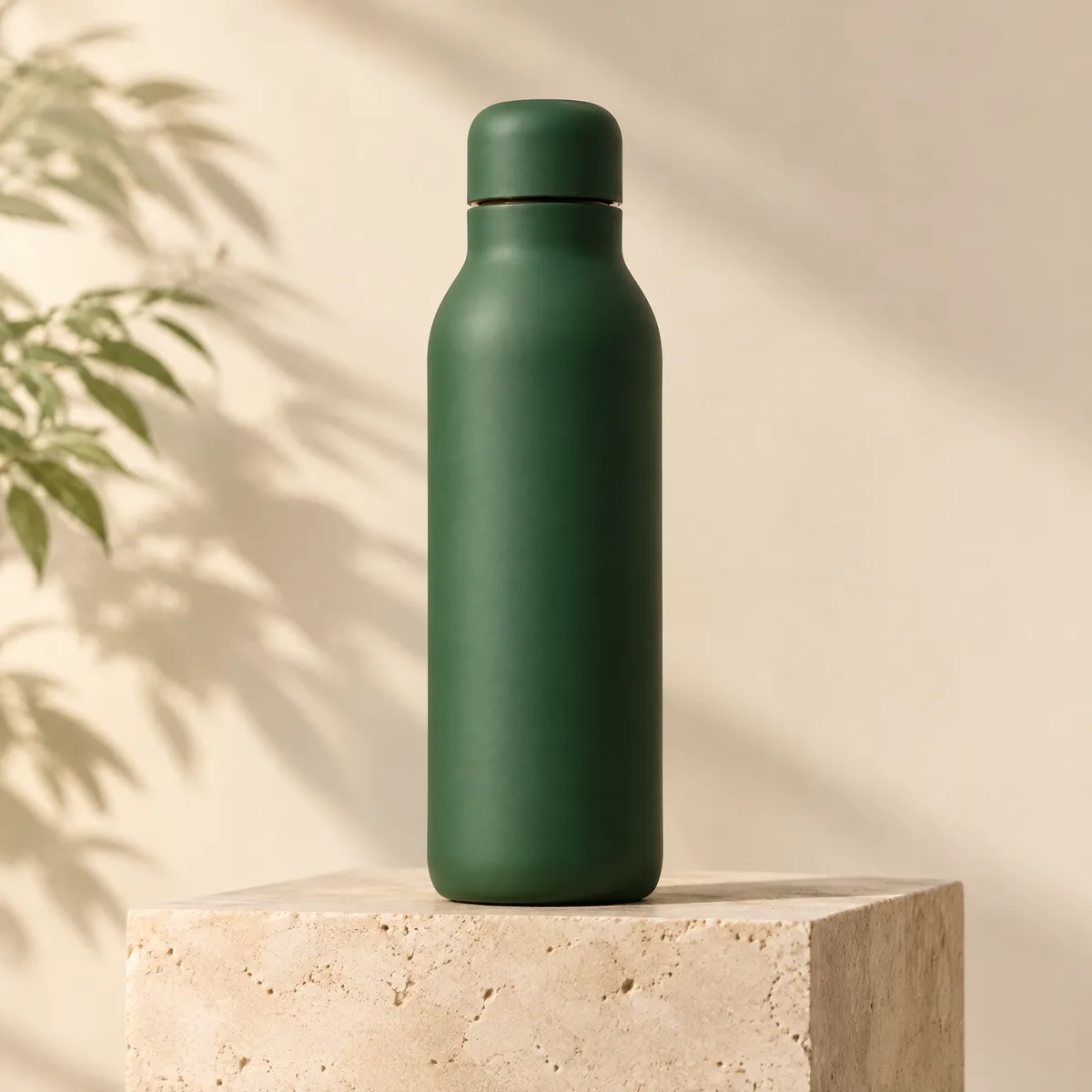
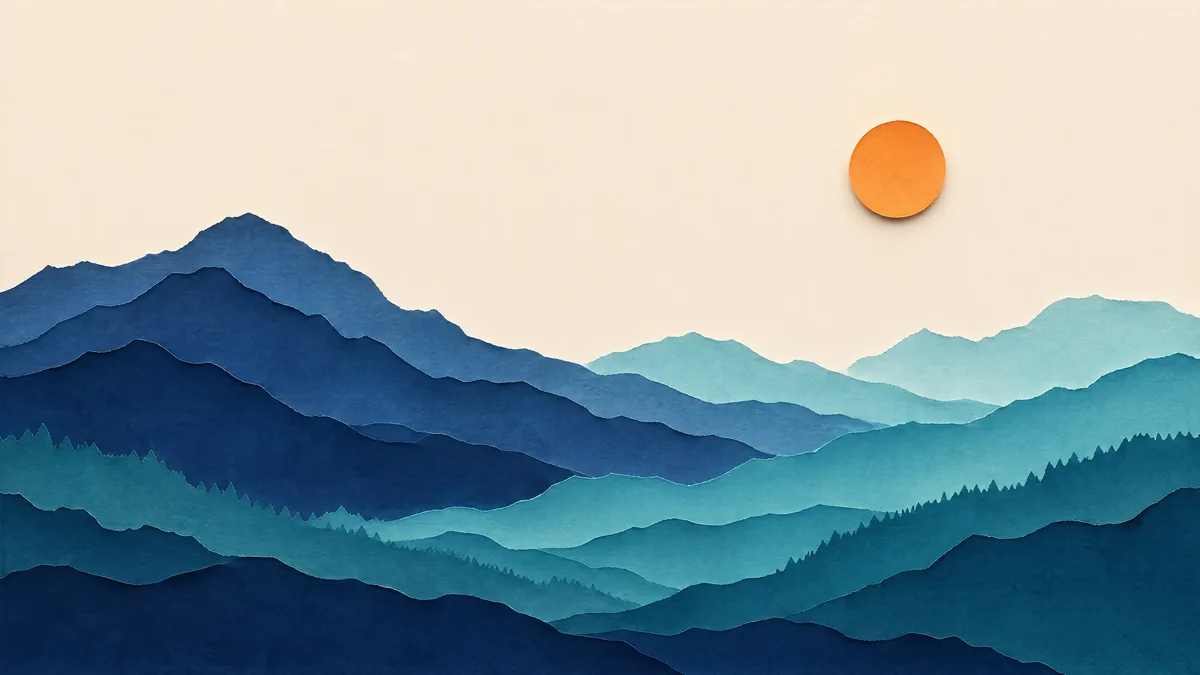
预览图为网页压缩版本;原始测试输出分别为 2048×2048 和 3840×2160。2K/4K 不代表 GIF 的推荐分辨率,动画还需要计入所有帧的像素预算。
生成一张 4K PNG:
curl --fail-with-body --silent --show-error --max-time 300 \
  https://api.routemux.com/v1/images/generations \
  -H "Authorization: Bearer $ROUTEMUX_API_KEY" \
  -H "Content-Type: application/json" \
  -d '{
    "model": "openai/gpt-image-2.6-sunburst",
    "prompt": "A wide landscape of layered paper-cut mountains, an orange sun, ivory sky, indigo and teal ridgelines. No text.",
    "size": "3840x2160",
    "quality": "high",
    "complexity": "low",
    "output_format": "png",
    "n": 1
  }' -o response.json && \
python -c 'import base64,json; from pathlib import Path; d=json.loads(Path("response.json").read_text()); Path("landscape-4k.png").write_bytes(base64.b64decode(d["data"][0]["b64_json"], validate=True))'
在 API 中使用明确的像素字符串。2.6 不使用 2.5 的 "2K"、"4K" 别名;Playground 可选择对应的像素尺寸。
GPT Image 2.6 价格如何计算
Flare 与 Sunburst 同价,按实际 token 用量收费,比下列官方标准 token 单价低 20%。标准、2K、4K 使用同一套单价;分辨率、质量和动画帧数会影响用量。
| 用量 | 官方标准价 / 百万 token | RouteMux / 百万 token |
|---|---|---|
| 文本输入 | $5 | $4 |
| 图片输入 | $8 | $6.40 |
| 图片输出 | $30 | $24 |
图片输入列是单独的计费维度;当前开放文本生成 PNG/GIF,暂不开放图片编辑。纯文生图费用 = 文本输入 token × $4 / 1,000,000 + 图片输出 token × $24 / 1,000,000。动画帧不会额外按张收费。
| 实测案例 | 文本输入 / 图片输出 token | 官方标准价估算 | RouteMux 费用估算 |
|---|---|---|---|
| 1024×1024 PNG,low | 24 / 824 | $0.02484 | $0.019872 |
| 512×512 GIF,9 帧,low | 92 / 1172 | $0.03562 | $0.028496 |
| 2048×2048 PNG,medium | 42 / 2944 | $0.08853 | $0.070824 |
| 3840×2160 PNG,high | 45 / 3336 | $0.100305 | $0.080244 |
这是本页样本的用量估算,不是固定张价。提示词、尺寸、质量和帧数改变时,实际费用也可能变化;以请求记录中的用量和结算金额为准。当前价格见 Flare 和 Sunburst。
从 GPT Image 2.5 迁移时注意什么
2.5 继续保留原有按张计费方式。2.6 的模型 ID 和计费方式独立,不自动把旧请求切换到新模型。
- 2.6 用实际像素尺寸生成,不能套用 2.5 标准档“只控制宽高比”的说明。
- 2.6 的
quality会影响实际用量,不能再描述为“忽略”。 - GIF 使用独立的帧数与帧时长;一张 GIF 不能按一张标准 PNG 的固定费用结算。
- Python 或 cURL 客户端保留完整
usage,方便对账和成本估算。
常见问题
GPT Image 2.6 可以生成 meme 吗?
可以通过提示词创建带文字的静态表情包或循环 GIF。本页提供 6 个原生 GIF 和 2 张静态梗图,覆盖程序员、打工人、猫咪反应与中文需求沟通。GIF 来自实际生成,不是后期把静态图改成动图。文字仍可能出现错误,应查看最终文件。
GIF 和视频 API 是一回事吗?
不是同一个接口。这里调用图片生成端点,返回 GIF 二进制;不经过视频任务 API。
GIF 可以设多少帧?
RouteMux 当前接受 2–16 帧,帧尺寸为 512x512,每次请求 n=1。frame_duration_ms 为 20–2000 之间的 10 的倍数。必须显式传入这三个动画参数;本页示例使用 9 帧、每帧 200 ms。官方指南与 API Reference 的最大帧数描述不同(64 与 16),这里采用较保守的 16 帧上限。
是否同时开放 SVG 和标注编辑?
目前开放 PNG 和 GIF 生成,暂不开放 SVG 或图片编辑。请使用 /v1/images/generations;output_format 仅接受 png、gif,n 为 1。流式响应、partial_images、prompt_rewriter 和 URL 响应格式暂不支持。GIF 不接受 output_compression。
2K、4K 与高画质是同一个开关吗?
不是。分辨率使用 size,画质使用 quality。高分辨率不意味着必须选最高画质;先用低档验证构图,再选最终尺寸和画质。